


Do you want to activate Office on Mac and use Word, Excel, PowerPoint and Outlook without restrictions? Activation on the Mac takes just a few steps: you sign in with your Microsoft account or enter your licence key, ensure a stable internet connection, and choose the right edition. With that, Office links the installed app to your licence and unlocks all features. We'll show you the exact process, common pitfalls, and what to watch out for with a perpetual licence.
 Microsoft Office
// Microsoft Office
(18 editions)
// Applications
(8 versions)
Help
Questions about installation? Let us help you – free of charge.

Daniel is happy to help
Mon–Fri 08 – 18
 Windows
// Windows
(12 Total)
// Frequently bought
Help
Questions about installation? Let us help you - free of charge.
Daniel is happy to help
Mon-Fri 8am - 6pm
K141
Activate Office on Mac: how to get it unlocked
Activating Office on the Mac is straightforward once you know the right order. The key elements are a valid Microsoft account or a matching licence key, an active internet connection and the correct edition. This way your Office version is unlocked permanently and in full.
At a glance
Step-by-step guide to activating Office on your Mac: sign in with a Microsoft account or enter a licence key, check your internet connection and choose the right edition.
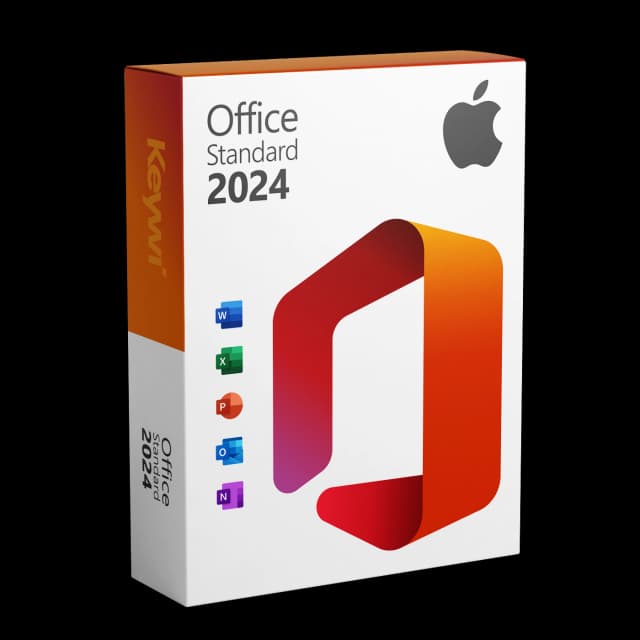
Office 2024 Standard for Mac
View productMicrosoft Office 2024 Standard Mac
Perpetual licence, no subscription: pay once, download immediately, use permanently.
CHF 99,00
Requirements before you start
Before you unlock Office on the Mac, a few things should be in order. These points prevent most error messages during activation and save you time.
- A stable internet connection, since Office checks the licence online
- A Microsoft account that the licence is or will be linked to
- The matching licence key (product key) for the edition you bought
- The right Office edition installed, i.e. the version your key belongs to
- Up-to-date macOS updates, so the Office apps run correctly
Activate Office on Mac: step by step
Activation takes place directly in one of the Office apps. You only have to carry out the process once; after that the unlock applies to the entire suite on this Mac.
- Open an Office app such as Word or Excel on your Mac
- Choose to sign in with your Microsoft account or the option to enter a licence key
- Enter your credentials or your 25-character key
- Confirm the activation and wait until the connection to the licence is established
- Under the Info menu item, check whether the edition is shown as activated
Common problems during activation
Symptom | Possible cause | Solution |
|---|---|---|
Key is rejected | Wrong edition installed | Install the edition matching the key |
Activation breaks off | No internet connection | Check the connection and try again |
Account not recognised | Wrong Microsoft account | Sign in with the account belonging to the licence |
Only read-only mode active | Licence not activated or outdated version | Unlock the licence or use a current version |
Activate a perpetual licence from Keywi
If you've purchased a previously used perpetual licence from Keywi, you receive the licence key together with the Microsoft-signed setup file via download. You use it to do a clean fresh install of Office, open an app and enter the key. Make sure the downloaded edition matches the key exactly, for example Office 2024 Standard with the corresponding licence. A perpetual licence is a one-time purchase without a subscription and stays bound to this device.
Why Office 2024 is the current choice
Older versions such as Office 2019 for Mac lose their full functionality with 13 July 2026: because of an expiring code-signing certificate, Word, Excel, PowerPoint and Outlook switch to a pure read-only mode. You can then only open, view and print documents, but no longer edit or save them. Un-updated installations of Office 2021 are affected too. With Office 2024 Standard for Mac as a perpetual licence, you get the current version as a one-time purchase, with no ongoing costs and full editing functionality.
Office 2024 Standard for Mac
View productMicrosoft Office 2024 Standard Mac
Perpetual licence, no subscription: pay once, download immediately, use permanently.
CHF 99,00
More guides
- Produkt
Office Mac error message: spotting the causes and solving them properly
Office Mac error messages explained clearly: activation, licence, certificate and read-only from 13 July 2026, including the matching solution for each.
- Produkt
Office 2019 Mac restricted mode: here's what's behind it
On 13/07/2026, Office 2019 for Mac switches into a restricted mode: files can only be opened, viewed and printed. We explain the reason and the solution.
- Produkt
Office Mac Licence Expired: What's Really Behind It
Office Mac licence expired? A perpetual licence doesn't expire. We separate the two real causes and show the clean route back to a full Office on the Mac.
- Produkt
Office Mac Keeps Crashing: Check the Causes and Fix It for Good
Office keeps crashing on your Mac? The most common causes are missing updates, macOS compatibility and damaged files. Here is how to diagnose the problem calmly and find the lasting, stable solution.
About Keywi24
Keywi24 is a Swiss online shop for verified pre-owned Microsoft and antivirus software licences. The team has in-depth market knowledge from over five years of experience. Our goal is not to become the largest licence shop, but the most trusted.
That’s why we don’t invest in marketing hype, but in 90 days of real technical support after every purchase. Legal basis: CJEU ruling C-128/11 (03.07.2012) and Art. 12 para. 2 URG.
Mon–Fri 08:00–18:00 CET+41 800 20 00 07 (free)Live chat response usually <5 min90-day money-back guarantee