




An Office Mac error message looks alarming at first, but it can almost always be traced to a clear cause. In most cases it's about activation, the licence, an expired certificate or a missing update. The important thing is to read the exact wording of the message, because it tells you which direction to look in. On this page we sort out the most common messages and show you when a restart is enough and when a current version is the lasting solution.
 Microsoft Office
// Microsoft Office
(18 editions)
// Applications
(8 versions)
Help
Questions about installation? Let us help you – free of charge.

Daniel is happy to help
Mon–Fri 08 – 18
 Windows
// Windows
(12 Total)
// Frequently bought
Help
Questions about installation? Let us help you - free of charge.
Daniel is happy to help
Mon-Fri 8am - 6pm
K152
Office Mac error message: spotting the causes and solving them properly
Office for Mac shows various error messages, from activation to licence to the read-only mode starting 13 July 2026. We briefly explain what the messages mean and how to make sense of them.
At a glance
Office Mac error messages explained clearly: activation, licence, certificate and read-only from 13 July 2026, including the matching solution for each.
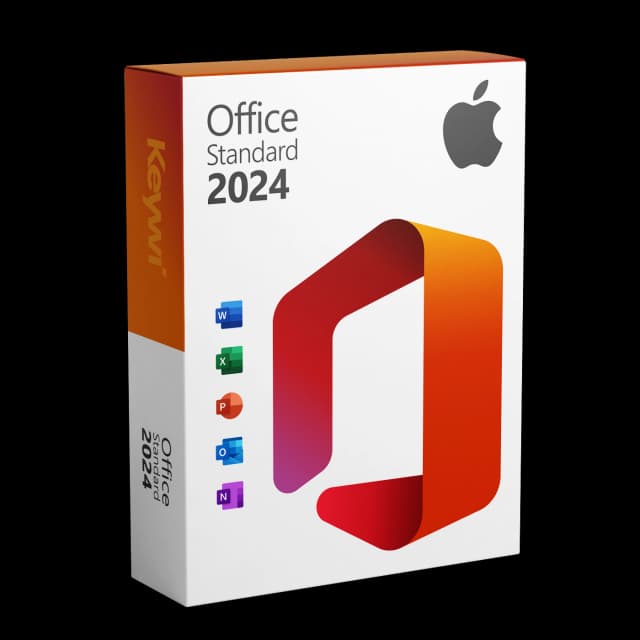
Office 2024 Standard for Mac
View productMicrosoft Office 2024 Standard Mac
Perpetual licence, no subscription: pay once, download immediately, use permanently.
CHF 99,00
The most common Office Mac error messages at a glance
Office for Mac shows a notice window for various reasons. To help you quickly know what it's about, a rough split into four groups helps. Each group has typical triggers and its own approach.
- Activation errors: Office can't find a valid activation, for example after a reinstallation or an account change.
- Licence notices: A message points to a missing, incorrect or – in the case of a Microsoft 365 subscription – ended licence.
- Certificate and read-only: A notice announces restricted features or a pure read-only mode.
- Update and compatibility: Office requires an update or a newer macOS version.
Reading activation and licence messages
Activation messages often appear after switching Macs, a reinstallation or signing in with a different account. First check whether you're signed in with the Microsoft account that belongs to your licence. With a perpetual licence (one-time purchase), the licence is valid permanently and has no expiry date. Only a Microsoft 365 subscription ends if payment lapses, and Office then switches to a restricted mode.
With licence messages, read carefully whether they refer to a subscription or a perpetual licence. That way you can tell whether only a fresh sign-in is needed or whether your Office version is fundamentally at the end of its lifecycle.
Certificate and read-only from 13 July 2026
One particular message concerns Office 2019 for Mac. On 13 July 2026, the code-signing certificate of this version expires and is not renewed. The Word, Excel, PowerPoint and Outlook programs still start afterwards, but can only be used in read-only mode. This means: documents can be opened, viewed and printed, but no longer edited or saved.
Un-updated installations of Office 2021 for Mac are affected too. An updated 2021 version from build 16.83, on the other hand, is not affected. This read-only message can't be fixed by a restart or a fresh activation, because it hinges on the expired certificate.
Which message needs which solution
Message | Likely cause | Way to solve it |
|---|---|---|
Activation failed | Wrong account or reinstallation | Sign in again with the right Microsoft account |
Subscription expired | Microsoft 365 payment ended | Renew the subscription or switch to a one-time purchase |
Read-only from 13 July 2026 | Certificate of Office 2019 (or 2021 without update) expired | Switch to a current version |
Update required | Outdated Office or macOS version | Update Office or macOS |
A lasting solution for the certificate message
For the certificate and read-only message there is only one reliable way: a current version of Office whose signature is maintained. Office 2024 Standard for Mac is available as a one-time purchase, that is, a perpetual licence with no subscription and no expiry date. You receive the Microsoft-signed software via download and can edit and save Word, Excel, PowerPoint and Outlook without restriction again.
If, on the other hand, your error message only concerns activation or a missing update, the right sign-in or update is usually enough. So sort out the message first, before you act.
Office 2024 Standard for Mac
View productMicrosoft Office 2024 Standard Mac
Perpetual licence, no subscription: pay once, download immediately, use permanently.
CHF 99,00
More guides
- Produkt
Office 2019 Mac restricted mode: here's what's behind it
On 13/07/2026, Office 2019 for Mac switches into a restricted mode: files can only be opened, viewed and printed. We explain the reason and the solution.
- Produkt
Office Mac Licence Expired: What's Really Behind It
Office Mac licence expired? A perpetual licence doesn't expire. We separate the two real causes and show the clean route back to a full Office on the Mac.
- Produkt
Office Mac Keeps Crashing: Check the Causes and Fix It for Good
Office keeps crashing on your Mac? The most common causes are missing updates, macOS compatibility and damaged files. Here is how to diagnose the problem calmly and find the lasting, stable solution.
- Produkt
Office 2019 Mac reduced functionality: here's what's behind it
From 13/07/2026, Office 2019 for Mac switches into “reduced functionality” mode: opening files yes, editing and saving no. We explain the term and the clean solution.
About Keywi24
Keywi24 is a Swiss online shop for verified pre-owned Microsoft and antivirus software licences. The team has in-depth market knowledge from over five years of experience. Our goal is not to become the largest licence shop, but the most trusted.
That’s why we don’t invest in marketing hype, but in 90 days of real technical support after every purchase. Legal basis: CJEU ruling C-128/11 (03.07.2012) and Art. 12 para. 2 URG.
Mon–Fri 08:00–18:00 CET+41 800 20 00 07 (free)Live chat response usually <5 min90-day money-back guarantee