




When your Office Mac keeps crashing, it is usually down to one of a few clearly identifiable reasons: a pending update, a macOS version that no longer matches the Office version, or damaged program files. In most cases the problem can be solved with a few targeted steps. With older Office versions, a further point comes into play from 2026 that you should be aware of. This page shows you the most common causes, a calm step-by-step diagnosis and explains why a current, supported version ensures stability in the long run.
 Microsoft Office
// Microsoft Office
(18 editions)
// Applications
(8 versions)
Help
Questions about installation? Let us help you – free of charge.

Daniel is happy to help
Mon–Fri 08 – 18
 Windows
// Windows
(12 Total)
// Frequently bought
Help
Questions about installation? Let us help you - free of charge.
Daniel is happy to help
Mon-Fri 8am - 6pm
K148
Office Mac Keeps Crashing: Check the Causes and Fix It for Good
Office Mac keeps crashing – Word, Excel or PowerPoint quitting at launch or in the middle of your work can almost always be traced back to a few causes on macOS. You can narrow them down yourself, without reinstalling straight away. We work through the most likely reasons in order and also put the 2026 certificate issue for older Office versions into context.
At a glance
Office keeps crashing on your Mac? The most common causes are missing updates, macOS compatibility and damaged files. Here is how to diagnose the problem calmly and find the lasting, stable solution.
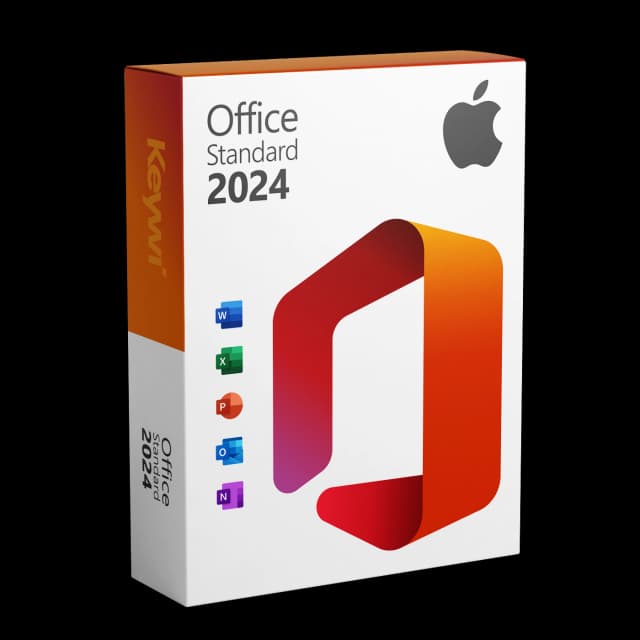
Office 2024 Standard for Mac
View productMicrosoft Office 2024 Standard Mac
Perpetual licence, no subscription: pay once, download immediately, use permanently.
CHF 99,00
Why Office crashes on the Mac: the most common causes
Crashes of Word, Excel, PowerPoint or Outlook on macOS rarely have a mysterious cause. Usually one of a few points is behind it, which you can rule out one after another. The important thing is to proceed calmly and systematically instead of immediately reinstalling everything.
- Missing update: an outdated Office version can collide with newer macOS features.
- macOS compatibility: after a macOS upgrade, an older Office version sometimes no longer matches the system.
- Damaged cache or defective program files: stuck temporary data leads to reproducible crashes.
- Conflicts with add-ins or fonts: faulty extensions or damaged fonts cause individual apps to crash.
- Expiring version: very old Office versions no longer receive fixes and become unstable on new systems.
Step by step: narrowing down Office crashes on the Mac
Work through the following steps in order and test after each one whether the crash still occurs. That way you find the cause without losing data unnecessarily.
- Check for updates: open an Office app, go to Help and then to Check for Updates, and install the latest version.
- Update macOS: check under System Settings whether a macOS update is due, and make sure your Office version matches it.
- Test in safe mode: restart the Mac to temporarily disable add-ins and background services.
- Clear the cache: quit Office completely and remove damaged temporary files of the affected app.
- Reinstall: if none of this helps, uninstall Office cleanly and reinstall it by download.
The 2026 certificate end for older Office versions
A special case concerns older Office versions on the Mac. The code-signing certificate of Office 2019 for Mac expires on 13 July 2026 and is not renewed. The apps still launch afterwards but can only be used in read-only mode: you can open, view and print documents, but no longer edit or save them.
Un-updated installations of Office 2021 for Mac are also affected. A version 2021 kept current from 16.83 onwards remains functional. Office 2019 already left regular support on 10 October 2023. If your crashes occur on one of these older versions, switching to a currently supported version is doubly worthwhile.
The lasting, stable solution: Office 2024 for Mac
If your Office version is outdated or will be affected by the certificate end, a current, supported version is the clear path to long-term stability. Office 2024 Standard for Mac works together with current macOS versions, receives security and stability fixes and is not affected by the expiring certificate.
Feature | Office 2024 Standard for Mac |
|---|---|
Licence model | One-time purchase, perpetual licence with no subscription |
Delivery | Immediately by download, Microsoft-signed |
Apps | Word, Excel, PowerPoint, Outlook |
2026 certificate end | Not affected |
macOS compatibility | Designed for current systems |
With a perpetual licence bought once, you have a plannable solution with no recurring costs and without the stability risk of an expiring version.
Office 2024 Standard for Mac
View productMicrosoft Office 2024 Standard Mac
Perpetual licence, no subscription: pay once, download immediately, use permanently.
CHF 99,00
More guides
- Produkt
Office Mac error message: spotting the causes and solving them properly
Office Mac error messages explained clearly: activation, licence, certificate and read-only from 13 July 2026, including the matching solution for each.
- Produkt
Office 2019 Mac restricted mode: here's what's behind it
On 13/07/2026, Office 2019 for Mac switches into a restricted mode: files can only be opened, viewed and printed. We explain the reason and the solution.
- Produkt
Office Mac Licence Expired: What's Really Behind It
Office Mac licence expired? A perpetual licence doesn't expire. We separate the two real causes and show the clean route back to a full Office on the Mac.
- Produkt
Office 2019 Mac reduced functionality: here's what's behind it
From 13/07/2026, Office 2019 for Mac switches into “reduced functionality” mode: opening files yes, editing and saving no. We explain the term and the clean solution.
About Keywi24
Keywi24 is a Swiss online shop for verified pre-owned Microsoft and antivirus software licences. The team has in-depth market knowledge from over five years of experience. Our goal is not to become the largest licence shop, but the most trusted.
That’s why we don’t invest in marketing hype, but in 90 days of real technical support after every purchase. Legal basis: CJEU ruling C-128/11 (03.07.2012) and Art. 12 para. 2 URG.
Mon–Fri 08:00–18:00 CET+41 800 20 00 07 (free)Live chat response usually <5 min90-day money-back guarantee