




Office Mac won't activate – this is usually down to one of a few clearly checkable causes: a wrong or already-used product key, the wrong edition, a problem with the Microsoft account, a missing internet connection or an outdated Office version. In most cases you can get activation working yourself if you work through the points one by one. This guide shows you the most important checks, explains what the certificate expiry on 13/07/2026 has to do with older versions, and when switching to a current licence is the cleanest solution.
 Microsoft Office
// Microsoft Office
(18 editions)
// Applications
(8 versions)
Help
Questions about installation? Let us help you – free of charge.

Daniel is happy to help
Mon–Fri 08 – 18
 Windows
// Windows
(12 Total)
// Frequently bought
Help
Questions about installation? Let us help you - free of charge.
Daniel is happy to help
Mon-Fri 8am - 6pm
K142
Office Mac Won't Activate – Here's What Helps
Office Mac won't activate – activation problems with Office for Mac almost always have a specific, fixable cause. We work through the most common sources of error – key, edition, account, internet and version – and you check them step by step. By the end you will know whether a simple fix is enough or whether a fresh licence is the better choice.
At a glance
Office for Mac won't activate? Check the most common causes and fix them step by step – including a note on the certificate expiry of older versions.
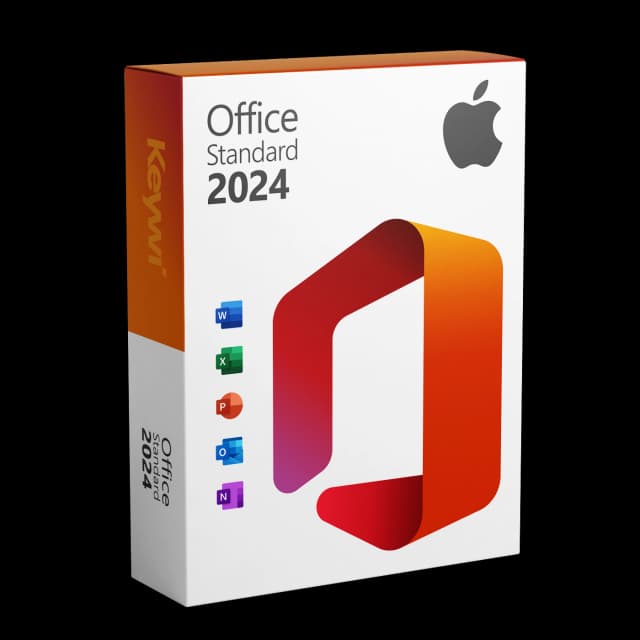
Office 2024 Standard for Mac
View productMicrosoft Office 2024 Standard Mac
Perpetual licence, no subscription: pay once, download immediately, use permanently.
CHF 99,00
An overview of the most common causes
Before you dig deeper, it helps to look at the typical triggers. Activation usually fails on one of these points – often correcting a small detail is enough for Word, Excel and PowerPoint to work normally again.
- Wrong or already-used product key (typo, key already redeemed)
- Wrong edition installed (e.g. Office Home instead of the variant you purchased)
- Problem with the Microsoft account (wrong account signed in, key assigned to a different account)
- No or disrupted internet connection during activation
- Outdated Office version that no longer activates or validates cleanly
Check step by step
Work through the following steps in order and test after each point whether activation goes through. That way you reliably narrow down the cause instead of changing several things at once.
- Check the key: watch out for mix-ups such as 0/O or 1/I and enter the key without spaces, exactly as it was supplied.
- Match the edition: make sure the installed Office version matches the purchased key – a different edition cannot be activated with it.
- Check the Microsoft account: sign in with the account the licence is assigned to, and check under the services/subscriptions whether the product appears there.
- Ensure an internet connection: activation runs online; check the connection, the date and time on the Mac, and any VPNs or firewalls that may be blocking it.
- Apply updates: update Office via Microsoft AutoUpdate so that a known and supported version is activated.
Special case: certificate expiry on 13/07/2026
With Office 2019 for Mac and with un-updated versions of Office 2021 for Mac, a further factor comes into play. On 13/07/2026, a code-signing certificate expires that Microsoft is not renewing. The apps still launch afterwards, but switch into a pure read-only mode: you can open, view and print documents, but no longer edit or save them.
Office 2019 has, moreover, been out of mainstream support since 10/10/2023. If your activation problems coincide with such an old version, it is worth not just fiddling with activation, but also considering a switch to a current, permanently usable licence. Updated versions of Office 2021 (from 16.83 onwards) are not affected by the certificate expiry.
The clean route: a current licence
If activation hiccups despite the correct steps, or if you are on an older version anyway, a fresh, current licence is the most straightforward solution. Office 2024 Standard for Mac is a one-time purchase with a perpetual licence – no subscription, no recurring costs.
You receive the licence Microsoft-signed by download and can set it up right away. This way you sidestep the activation and certificate issues of outdated versions and keep Word, Excel, PowerPoint and Outlook permanently fully usable – with editing and saving as usual.
Office 2024 Standard for Mac
View productMicrosoft Office 2024 Standard Mac
Perpetual licence, no subscription: pay once, download immediately, use permanently.
CHF 99,00
More guides
- Produkt
Office Mac error message: spotting the causes and solving them properly
Office Mac error messages explained clearly: activation, licence, certificate and read-only from 13 July 2026, including the matching solution for each.
- Produkt
Office 2019 Mac restricted mode: here's what's behind it
On 13/07/2026, Office 2019 for Mac switches into a restricted mode: files can only be opened, viewed and printed. We explain the reason and the solution.
- Produkt
Office Mac Licence Expired: What's Really Behind It
Office Mac licence expired? A perpetual licence doesn't expire. We separate the two real causes and show the clean route back to a full Office on the Mac.
- Produkt
Excel Mac Can't Save: Causes and Solution
Excel Mac can't save: from 13/07/2026 Office 2019 and non-updated Office 2021 for Mac switch to read-only mode. How to identify the cause and solve the problem permanently.
About Keywi24
Keywi24 is a Swiss online shop for verified pre-owned Microsoft and antivirus software licences. The team has in-depth market knowledge from over five years of experience. Our goal is not to become the largest licence shop, but the most trusted.
That’s why we don’t invest in marketing hype, but in 90 days of real technical support after every purchase. Legal basis: CJEU ruling C-128/11 (03.07.2012) and Art. 12 para. 2 URG.
Mon–Fri 08:00–18:00 CET+41 800 20 00 07 (free)Live chat response usually <5 min90-day money-back guarantee