




If your Office 2019 for Mac no longer works as usual — you can open documents but no longer save them — it's due to the certificate expiry of 13 July 2026. It's not a fault on your Mac and not a corrupted file.
 Microsoft Office
// Microsoft Office
(18 editions)
// Applications
(8 versions)
Help
Questions about installation? Let us help you – free of charge.

Daniel is happy to help
Mon–Fri 08 – 18
 Windows
// Windows
(12 Total)
// Frequently bought
Help
Questions about installation? Let us help you - free of charge.
Daniel is happy to help
Mon-Fri 8am - 6pm
K139
Office 2019 for Mac no longer works — what to do?
Office 2019 for Mac no longer works – documents open yes, saving no? This isn't a fault, it's the read-only mode caused by the certificate expiry of 13 July 2026. Here's how to back up your files and carry on immediately with Office 2024.
At a glance
Office 2019 for Mac runs in read-only mode: opening and printing yes, saving no. The cause and the immediate way back to full Office use.
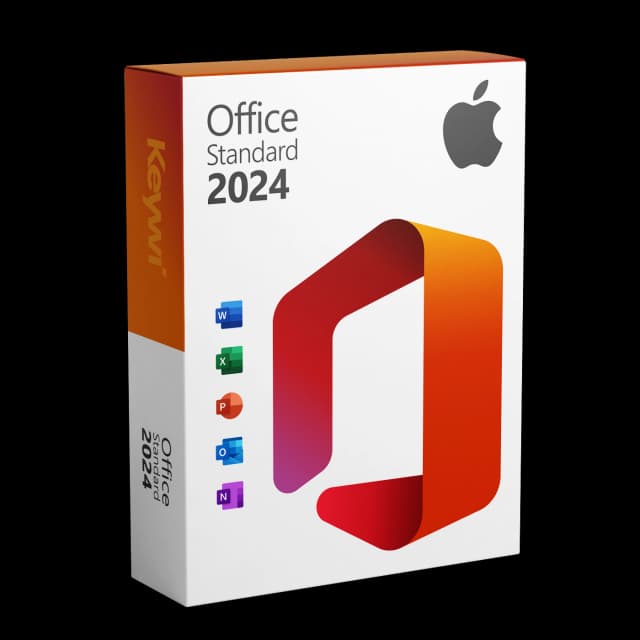
Office 2024 Standard for Mac
View productMicrosoft Office 2024 Standard Mac
Perpetual licence, no subscription: pay once, download immediately, use permanently.
CHF 99,00
This isn't a fault — it's the read-only mode
Microsoft did not renew the signing certificate of Office 2019 for Mac. Since 13 July 2026, Word, Excel, PowerPoint and Outlook have been running in read-only mode.
Specifically, this means:
- You can open, view and print documents.
- You can no longer edit or save them.
- The apps still launch — they are just limited.
Older, un-updated versions of Office 2021 for Mac can also be affected.
Your data is safe
First and foremost: your files are not lost. Word, Excel and PowerPoint documents are fully preserved and can still be opened and printed. All that's missing is the ability to save changes. So before switching, you can back up all your important files at your leisure.
Carry on immediately: switch to Office 2024
The permanent solution is an Office version that is not affected by the certificate expiry. Office 2024 for Mac is available as a one-time purchase — a perpetual licence without a subscription:
- Word, Excel, PowerPoint and Outlook as a full version.
- Pay once, use it for good.
- Installation via download in a few minutes.
You continue to open and edit your existing files in Office 2024 quite normally — the formats remain compatible.
Step by step: keep using old files
- Open important documents from Office 2019 and back them up to a clear location.
- Buy Office 2024 for Mac and install it via download.
- Briefly check your macOS version beforehand (System Settings).
- Open files in Office 2024, edit them and save as usual.
That way you're fully able to work again within a morning — without data loss and without a subscription.
Why not just repair Office 2019?
A reinstall or repair won't help here: the restriction doesn't come from an error in the app, but from the expired certificate. Microsoft is not renewing it, because Office 2019 has been out of mainstream support since October 2023. So the read-only mode stays in place permanently. A current version is the only reliable way to save again.
Office 2024 Standard for Mac
View productMicrosoft Office 2024 Standard Mac
Perpetual licence, no subscription: pay once, download immediately, use permanently.
CHF 99,00
More guides
- Produkt
Office Mac error message: spotting the causes and solving them properly
Office Mac error messages explained clearly: activation, licence, certificate and read-only from 13 July 2026, including the matching solution for each.
- Produkt
Office 2019 Mac restricted mode: here's what's behind it
On 13/07/2026, Office 2019 for Mac switches into a restricted mode: files can only be opened, viewed and printed. We explain the reason and the solution.
- Produkt
Office Mac Licence Expired: What's Really Behind It
Office Mac licence expired? A perpetual licence doesn't expire. We separate the two real causes and show the clean route back to a full Office on the Mac.
- Produkt
Excel Mac Can't Save: Causes and Solution
Excel Mac can't save: from 13/07/2026 Office 2019 and non-updated Office 2021 for Mac switch to read-only mode. How to identify the cause and solve the problem permanently.
About Keywi24
Keywi24 is a Swiss online shop for verified pre-owned Microsoft and antivirus software licences. The team has in-depth market knowledge from over five years of experience. Our goal is not to become the largest licence shop, but the most trusted.
That’s why we don’t invest in marketing hype, but in 90 days of real technical support after every purchase. Legal basis: CJEU ruling C-128/11 (03.07.2012) and Art. 12 para. 2 URG.
Mon–Fri 08:00–18:00 CET+41 800 20 00 07 (free)Live chat response usually <5 min90-day money-back guarantee