




Word Mac can't save: when your file opens and prints but can no longer be saved, there are two very different causes for it. Either there's an ordinary save error, such as a locked location or missing write permissions. Or your Office is affected by the planned read-only mode that Microsoft has scheduled for Office 2019 for Mac from 13 July 2026. In that case Word still starts, you can view, open and print documents, but editing and saving are blocked. A quick check of which case applies saves you unnecessary searching.
 Microsoft Office
// Microsoft Office
(18 editions)
// Applications
(8 versions)
Help
Questions about installation? Let us help you – free of charge.

Daniel is happy to help
Mon–Fri 08 – 18
 Windows
// Windows
(12 Total)
// Frequently bought
Help
Questions about installation? Let us help you - free of charge.
Daniel is happy to help
Mon-Fri 8am - 6pm
K146
Word Mac can't save: causes and solution
When Word Mac can't save, there's often more to it than a blocked folder. From 13 July 2026, Office 2019 for Mac switches to a pure read-only mode. This page helps you narrow down the cause and fix it cleanly.
At a glance
Word on the Mac no longer saving? We separate the ordinary save error from the read-only mode starting 13 July 2026 and show the clean way forward.
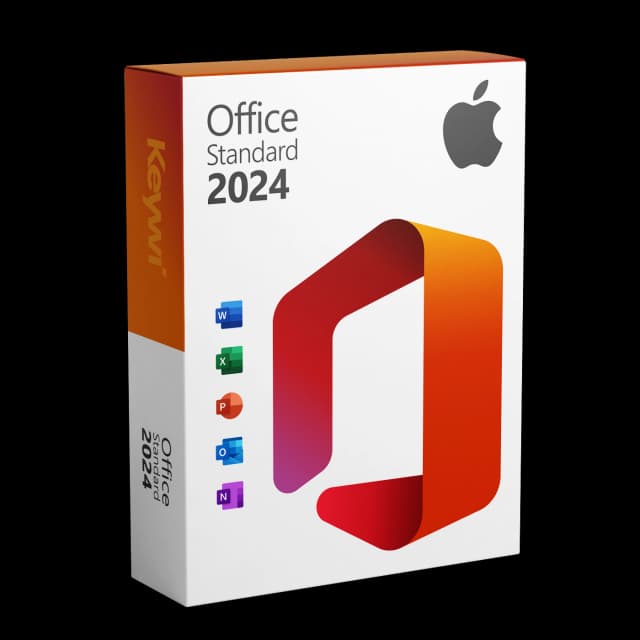
Office 2024 Standard for Mac
View productMicrosoft Office 2024 Standard Mac
Perpetual licence, no subscription: pay once, download immediately, use permanently.
CHF 99,00
First rule out the ordinary save error
Before you think about the date, check the simple things. These errors occur regardless of the Office version and are usually fixed quickly.
- Location: Is the file on a full drive, a disconnected network drive or in a synced cloud folder that is currently offline?
- Write permissions: Is the file or folder write-protected? You can check the permissions via Get Info (Command + I) in the Finder.
- File name: Very long names or special characters can block saving. As a test, save under a short name locally on the desktop.
- Open file: Is the same document still open in another program or on a second device?
If saving in a new test document still doesn't work after these steps, much points to the second cause.
The certificate cause: read-only from 13 July 2026
Office 2019 for Mac uses a code-signing certificate that expires on 13 July 2026. Microsoft is not renewing it. After that, Word, Excel, PowerPoint and Outlook can still be opened, but only read and printed.
Editing and saving are blocked. That is exactly why Word reports that it can't save, even though the app started completely normally.
- Affected: Office 2019 for Mac as well as un-updated versions of Office 2021 for Mac.
- Safe: Office 2021 for Mac in the updated version 16.83 or newer.
- Background: Office 2019 already left mainstream support on 10 October 2023.
If this is the case, resetting the permissions or choosing a different location won't help. The certificate itself is the trigger.
Which version do I have?
Here's how to find out whether your Office is affected.
- Open Word and click Word in the menu bar, then About Word.
- Note the version number, e.g. 16.xx.
- Office 2021 for Mac from 16.83 is safe, provided the updates are installed.
- For Office 2019 for Mac there is no safe updated variant; the read-only mode stays.
For an updated Office 2021, it's enough to install pending updates. For Office 2019 you need a current licence.
The clean solution: Office 2024 Standard for Mac
If yours is Office 2019, Office 2024 Standard for Mac is the direct way back to normal editing and saving. It's a one-time purchase with a perpetual licence, not a subscription.
Feature | Office 2024 Standard for Mac |
|---|---|
Licence model | One-time purchase, perpetual licence |
Ongoing costs | No subscription, no monthly fee |
Included | Word, Excel, PowerPoint, Outlook |
Delivery | Instantly via download, Microsoft-signed setup file |
Saving | Editing and saving fully possible |
This way the read-only block is no longer an issue, and you keep working with a current, fully functional version of Office.
Office 2024 Standard for Mac
View productMicrosoft Office 2024 Standard Mac
Perpetual licence, no subscription: pay once, download immediately, use permanently.
CHF 99,00
More guides
- Produkt
Excel Mac Can't Save: Causes and Solution
Excel Mac can't save: from 13/07/2026 Office 2019 and non-updated Office 2021 for Mac switch to read-only mode. How to identify the cause and solve the problem permanently.
- Produkt
Word won't open on Mac: find the causes and fix them
Word won't open on your Mac? Triage of the most common causes plus the 2026 certificate expiry for Office 2019/2021 – and the clean permanent solution.
- Produkt
Office Mac Won't Activate – Here's What Helps
Office for Mac won't activate? Check the most common causes and fix them step by step – including a note on the certificate expiry of older versions.
- Produkt
Office 2019 for Mac no longer works — what to do?
Office 2019 for Mac runs in read-only mode: opening and printing yes, saving no. The cause and the immediate way back to full Office use.
About Keywi24
Keywi24 is a Swiss online shop for verified pre-owned Microsoft and antivirus software licences. The team has in-depth market knowledge from over five years of experience. Our goal is not to become the largest licence shop, but the most trusted.
That’s why we don’t invest in marketing hype, but in 90 days of real technical support after every purchase. Legal basis: CJEU ruling C-128/11 (03.07.2012) and Art. 12 para. 2 URG.
Mon–Fri 08:00–18:00 CET+41 800 20 00 07 (free)Live chat response usually <5 min90-day money-back guarantee