




When it comes to Office 2019 vs Office 2024 Mac, it's less about looks and more about a hard fact: on 13 July 2026, the code-signing certificate of Office 2019 for Mac expires and will not be renewed. Word, Excel, PowerPoint and Outlook do still launch afterwards, but you can only open, view and print – editing and saving are then no longer possible. Office 2024 Standard for Mac is not affected by this and stays fully usable.
 Microsoft Office
// Microsoft Office
(18 editions)
// Applications
(8 versions)
Help
Questions about installation? Let us help you – free of charge.

Daniel is happy to help
Mon–Fri 08 – 18
 Windows
// Windows
(12 Total)
// Frequently bought
Help
Questions about installation? Let us help you - free of charge.
Daniel is happy to help
Mon-Fri 8am - 6pm
K133
Office 2019 vs Office 2024 Mac: the comparison for your decision
Office 2019 vs Office 2024 Mac – wondering whether to stick with Office 2019 or switch to Office 2024 for Mac? The decisive difference is practical: from 13 July 2026, Office 2019 for Mac is switched to read-only – Office 2024 is not. Here you can see both versions side by side, objectively.
At a glance
A neutral comparison of Office 2019 vs Office 2024 for Mac: features, support, pricing model and the read-only cut-off date on 13/07/2026 – plus migration steps.
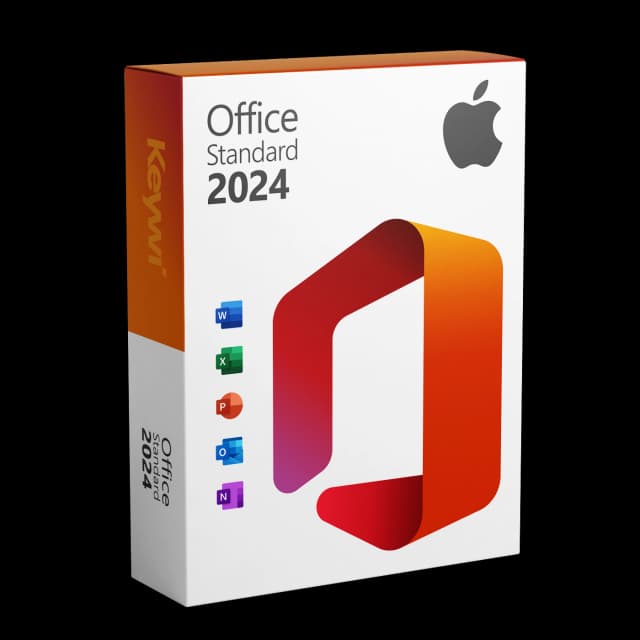
Office 2024 Standard for Mac
View productMicrosoft Office 2024 Standard Mac
Perpetual licence, no subscription: pay once, download immediately, use permanently.
CHF 99,00
Feature differences at a glance
Both packages contain the same core apps: Word, Excel, PowerPoint and Outlook. The difference lies in the state of the software and in what still works after the cut-off date.
Feature | Office 2019 for Mac | Office 2024 Standard for Mac |
|---|---|---|
Licence model | one-time purchase / perpetual licence | one-time purchase / perpetual licence, no subscription |
Read-only cut-off date | 13/07/2026 (read-only) | no cut-off date applies |
Apps | Word, Excel, PowerPoint, Outlook | Word, Excel, PowerPoint, Outlook |
Mac support | Apple Silicon & Intel | Apple Silicon & Intel |
Security updates | no longer in support | within the Microsoft lifecycle |
Your existing files stay compatible: you continue to open and edit .docx, .xlsx and .pptx in Office 2024 quite normally. No data is lost when switching, because nothing changes in the files themselves. On Apple Silicon, Office 2024 also runs natively and therefore more smoothly than the older 2019 apps.
The read-only cut-off date for 2019
The reason is not a bug, but the expiry of the certificate with which Office 2019 for Mac is signed. Microsoft is not renewing this certificate.
Specifically, this means from 13 July 2026:
- The apps still open – so they do launch.
- You can view, read and print documents.
- Editing and saving no longer work.
- Office 2019 left mainstream support back on 10/10/2023.
Important: an un-updated Office 2021 for Mac is also affected. An updated 2021 version (from build 16.83) remains usable for now.
Is it worth switching now
If you actively use your Mac for work, switching before the cut-off date is the more relaxed solution. You avoid losing the ability to save in the middle of a project. Since your existing documents are preserved in their familiar format, the switch is possible without data loss and you carry on working directly on the same files.
Who Office 2024 Standard for Mac suits:
- You want to keep editing and saving, even after 13/07/2026.
- You'd prefer a one-time purchase instead of an ongoing subscription.
- You need Word, Excel, PowerPoint and Outlook without any loss of features.
Office 2024 Standard for Mac is a perpetual licence with no expiry date; security updates are provided within the Microsoft lifecycle. For pure Office users, this one-time purchase is usually the obvious choice.
How to migrate
The switch is straightforward and requires no data migration.
- Buy Office 2024 Standard for Mac and download it – the setup file is Microsoft-signed.
- Uninstall Office 2019 or simply replace it with the new version.
- Install Office 2024 and activate it with your licence key.
- Open your existing files – they remain editable in their familiar format.
After that you carry on working on your Mac as before, just without the read-only cut-off date hanging over you.
Office 2024 Standard for Mac
View productMicrosoft Office 2024 Standard Mac
Perpetual licence, no subscription: pay once, download immediately, use permanently.
CHF 99,00
More guides
Microsoft 365 vs. Office 2024 for Mac
Microsoft 365 (subscription) or Office 2024 for Mac (one-time purchase)? Cost over five years, feature scope and a clear assessment for Mac users.
LibreOffice vs Office Mac: The Honest Comparison for Your Mac
A neutral comparison of LibreOffice and Microsoft Office for Mac: strengths, weaknesses and the clear recommendation for everyone who needs genuine MS Office compatibility.
Office Alternative for Mac: The Options Compared
Microsoft 365, LibreOffice, Apple iWork and Office 2024 (one-time purchase) for the Mac compared neutrally – with a note on the read-only cut-off date of 13 July 2026.
Mac Office 2021 vs 2024 compared
Office 2021 vs Office 2024 for Mac: features, macOS support, read-only risk and currency – compared concisely, with a clear assessment for new buyers.
About Keywi24
Keywi24 is a Swiss online shop for verified pre-owned Microsoft and antivirus software licences. The team has in-depth market knowledge from over five years of experience. Our goal is not to become the largest licence shop, but the most trusted.
That’s why we don’t invest in marketing hype, but in 90 days of real technical support after every purchase. Legal basis: CJEU ruling C-128/11 (03.07.2012) and Art. 12 para. 2 URG.
Mon–Fri 08:00–18:00 CET+41 800 20 00 07 (free)Live chat response usually <5 min90-day money-back guarantee